Crafting Roadmap
A visual planning tool to understand what items you can craft and use at your current progression level.
Overview
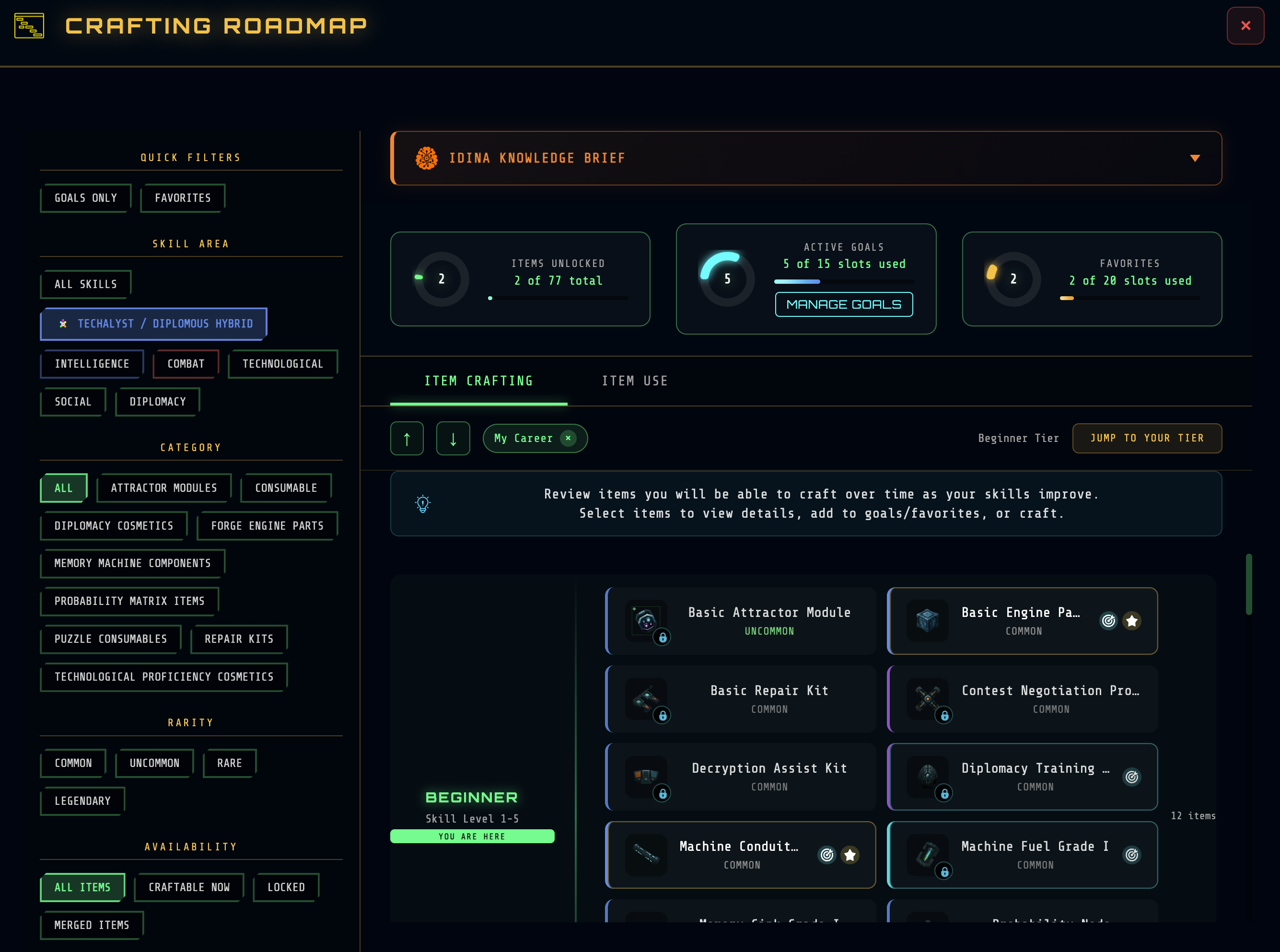
The Crafting Roadmap organizes all craftable items into progression tiers, showing you exactly where you are and what's ahead. It helps answer two key questions:
- What can I craft? Based on your skill proficiency
- What can I use? Based on your operative level
The Two Views
Item Crafting View
Organizes items by skill requirements—the XP needed in relevant skill areas to craft each item.
| Tier | Skill Level | What It Means |
|---|---|---|
| Beginner | 1-5 | Starting items, accessible to most players |
| Intermediate | 6-10 | Requires focused skill development |
| Advanced | 11-15 | Significant expertise needed |
| Master | 16+ | Peak-tier items for specialists |
Item Use View
Organizes items by operative level—when you can actually equip or consume each item.
| Tier | Operative Level | What It Means |
|---|---|---|
| Beginner | 1-5 | Immediate access items |
| Late Beginner | 6-10 | Early progression rewards |
| Intermediate | 11-20 | Mid-game equipment |
| Advanced | 21-30 | Experienced operative gear |
| Master | 31+ | Endgame items |
"You Are Here" Indicator
The roadmap highlights your current position in each view:
- Crafting view: Based on your highest relevant skill area average
- Use view: Based on your operative level
Items in your current tier and below are typically accessible. Items in higher tiers show what you're working toward.
Filtering Options
Skill Area Filter
Focus the roadmap on specific career paths:
| Filter | Shows |
|---|---|
| My Career | Items aligned with your selected career path (supports hybrid careers) |
| All | Every craftable item regardless of skill area |
| Specific Area | Intelligence, Combat, Social, Technological, or Diplomacy items only |
Additional Filters
- Category: Engine parts, cosmetics, consumables, etc.
- Rarity: Common, Uncommon, Rare, Legendary
- Availability: All, Craftable Now, Locked, Merged Items
- Goals Only: Show only items you've set as goals
- Favorites Only: Show only favorited items
Goal Tracking
Set crafting goals to track your progress toward specific items.
How Goals Work
- Set a goal — Select any item and add it as a goal
- Choose goal type:
- Craft: Track until you craft the item
- Use: Track until you can use the item
- Both: Track both milestones
- Set quantity — Target multiple copies if needed
- Monitor progress — Goals appear in your progress cards
Goal Limits
- Maximum 15 active goals at once
- Remove completed or abandoned goals to add new ones
- Goals persist across sessions
Goal Management
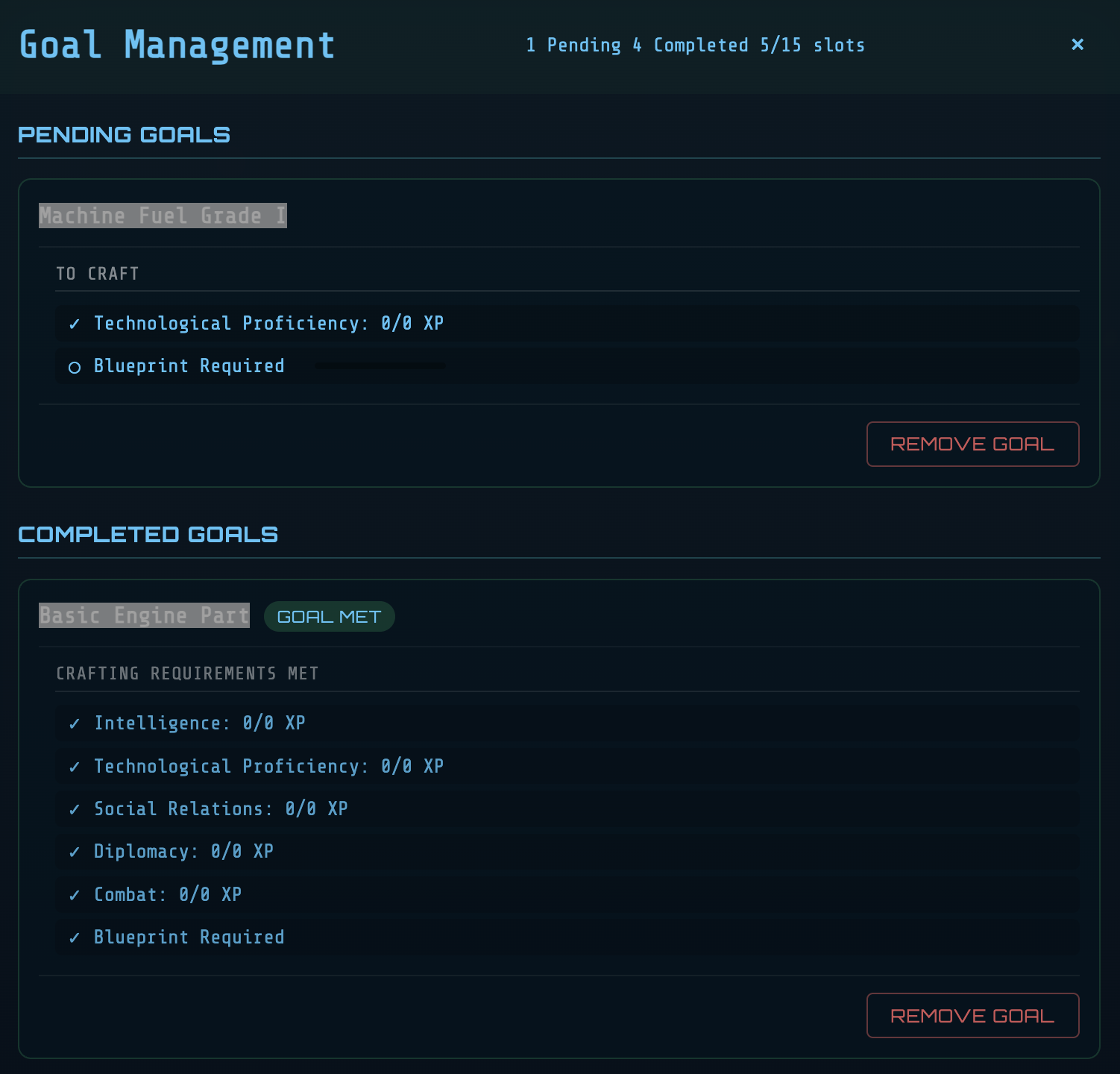
The Goal Management panel shows:
- Pending goals with requirement details
- Your current progress toward each requirement
- Which goals you can complete now
- Completed goals ready to clear
Favorites
Mark items as favorites for quick access.
Using Favorites
- Star any item to add it to favorites
- Maximum 20 favorites allowed
- Favorites appear highlighted in the timeline
- Filter to show Favorites Only for focused planning
Favorites are useful for:
- Items you craft regularly
- Target items for long-term planning
- Quick reference during crafting sessions
Progress Tracking
The roadmap displays your overall crafting progress:
| Metric | Description |
|---|---|
| Items Unlocked | Items you can currently craft |
| Total Items | All craftable items in the game |
| Unlock Percentage | Your overall crafting progression |
| Active Goals | Current goal count vs. limit |
| Favorites Count | How many items you've favorited |
Using the Roadmap Effectively
Early Game Strategy
- Items will be filtered by "My Career" by default
- Focus on Beginner tier items first
- Set 2-3 goals for Intermediate tier items you want
- Build toward those goals through skill development
Mid Game Strategy
- Review Advanced tier to plan your next targets
- Check Item Use view to see when you can equip higher-tier gear
- Balance immediate crafts with vault-funded long-term goals
Endgame Strategy
- Target Master tier items for peak performance
- Use the roadmap to identify remaining unlocks
- Set goals for rare merged items requiring cross-career inputs
Item Detail Panel
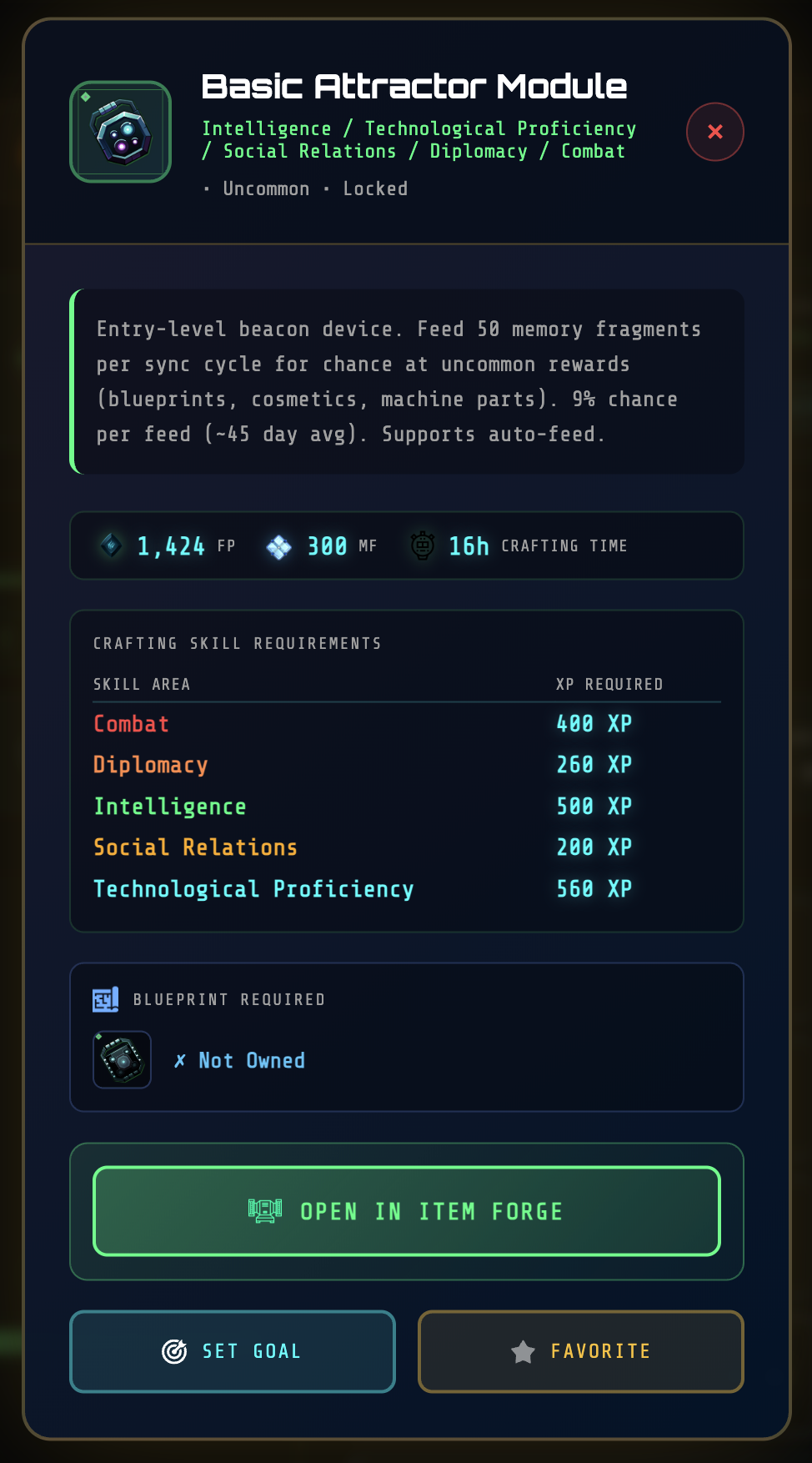
Clicking any item in the roadmap opens its detail panel showing:
- Full description and effects
- Crafting requirements: FP cost, skill area, blueprint needed
- Use requirements: Operative level, prerequisites
- Your progress: Whether you meet each requirement
- Goal/Favorite toggles: Quick access to add or remove
Related Systems
- Crafting System — How to craft items
- Skills & Skill Checks — Understanding skill requirements
- Careers — Career paths and skill focus areas