The Operative Evolution Center
Your central hub for everything advancement-related. This is where you'll spend time between missions—managing resources, upgrading skills, and preparing for what's next.
What Is It?
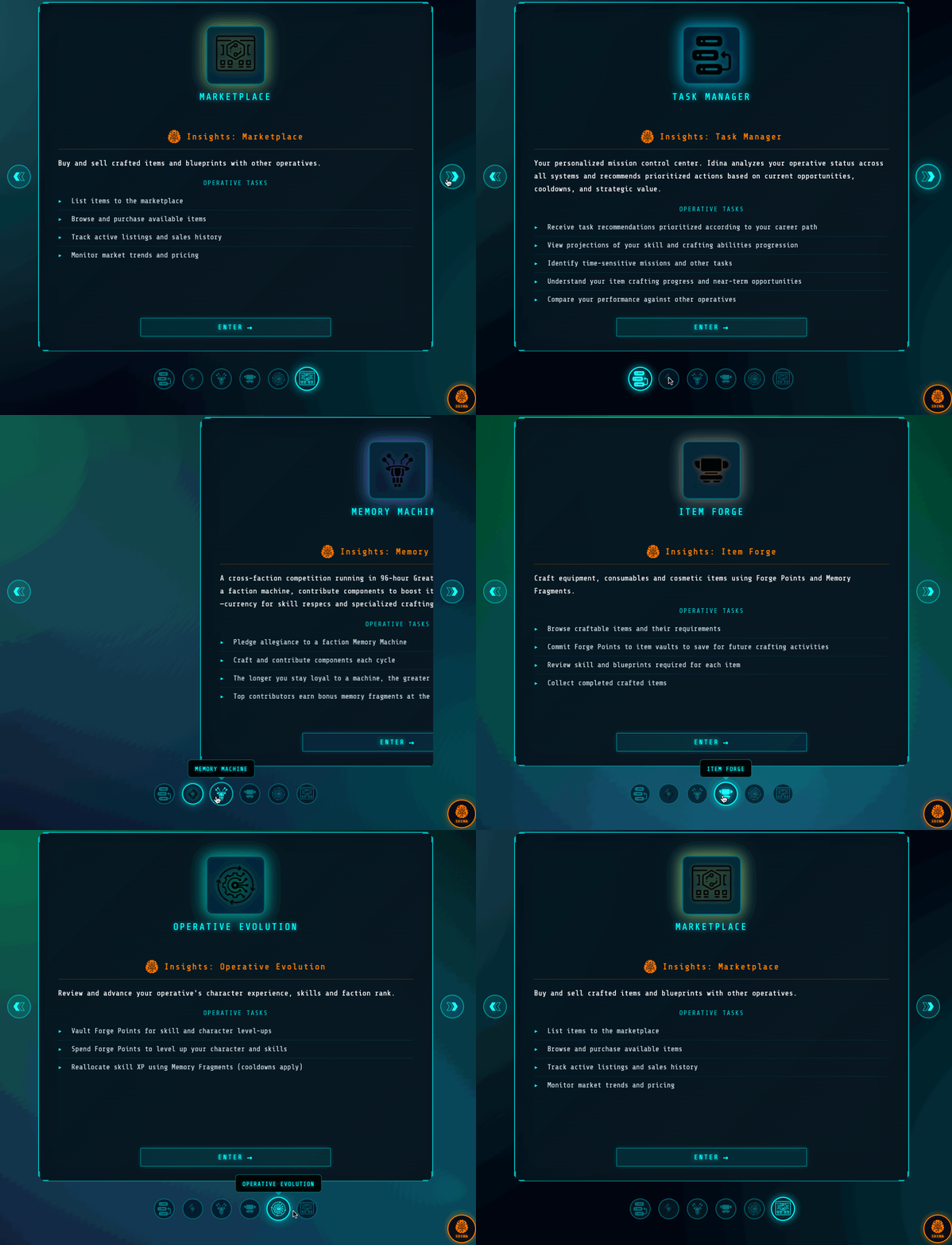
The Operative Evolution & Economy Center (OEC) is your operational headquarters within the Echo Collective Hub. Think of it as your office, training facility, and resource management station combined.
From here, you can:
| Function | What You Do |
|---|---|
| Task Management | Track daily objectives |
| Skill Management | View, track, and upgrade your skills |
| Career Advancement | Progress through career ranks |
| Forge Engine | Manage Data Shard conversion |
| Marketplace Access | Buy, sell, and trade |
| Equipment Management | View and organize your gear |
| Mission Board | Accept new assignments |
| Memory Machine | Check status and contribute |
Task Management
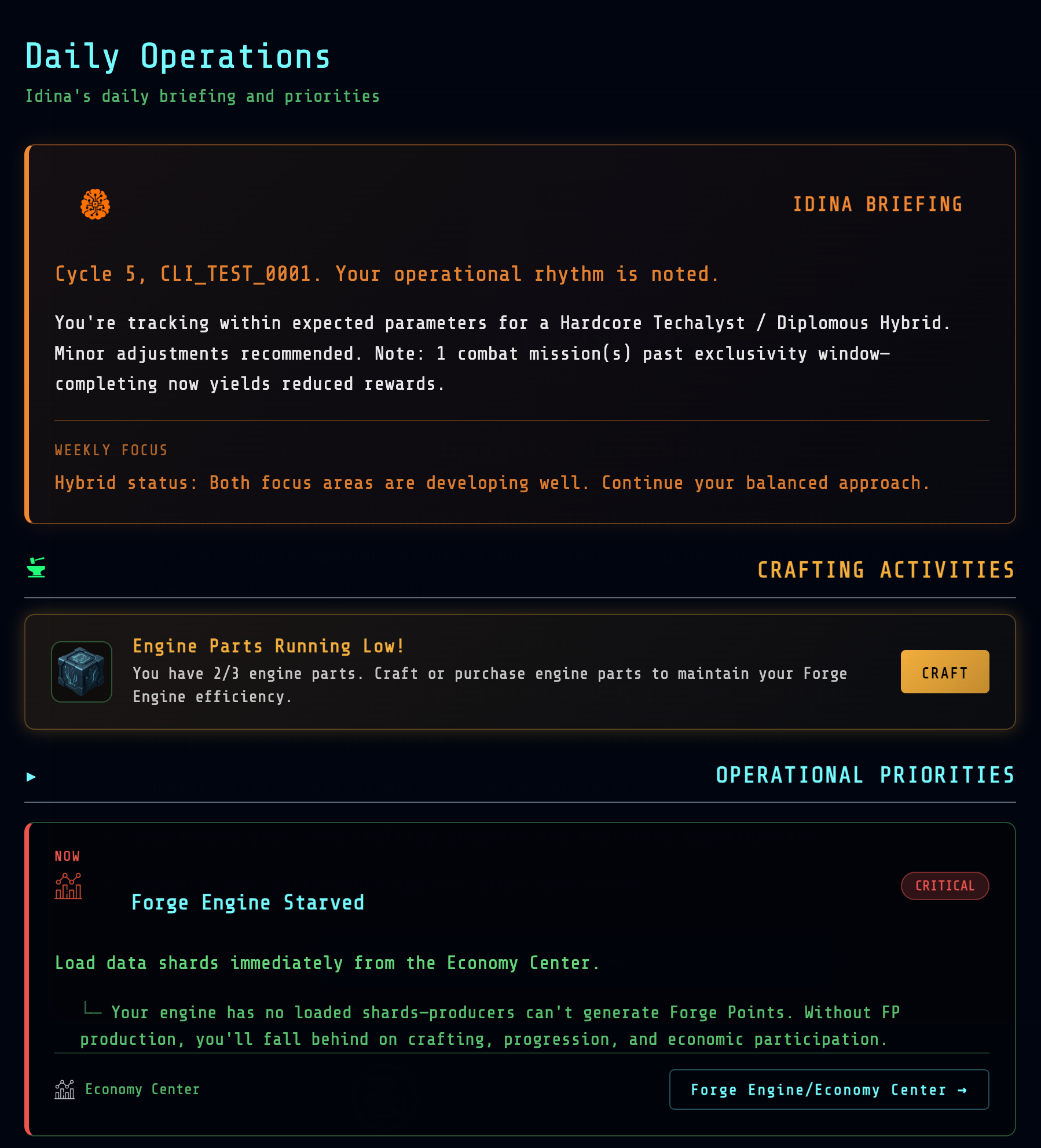
Each day, the Idina informs you about key tasks you should engage in, such as completing missions, training or pursuing intelligence opportuniites.
Task Categories
Training Tasks
- Complete a Confluence game
- Play a TriDyak match
- Practice specific skill applications
Operational Tasks
- Complete a mission
- Gather intelligence
- Explore a new location
Economic Tasks
- Load Data Shards into Forge Engine
- Craft an item
- Contribute to Memory Machine
Social Tasks
- Build faction standing
- Complete a diplomatic mission
- Advise an NPC
Skill Management
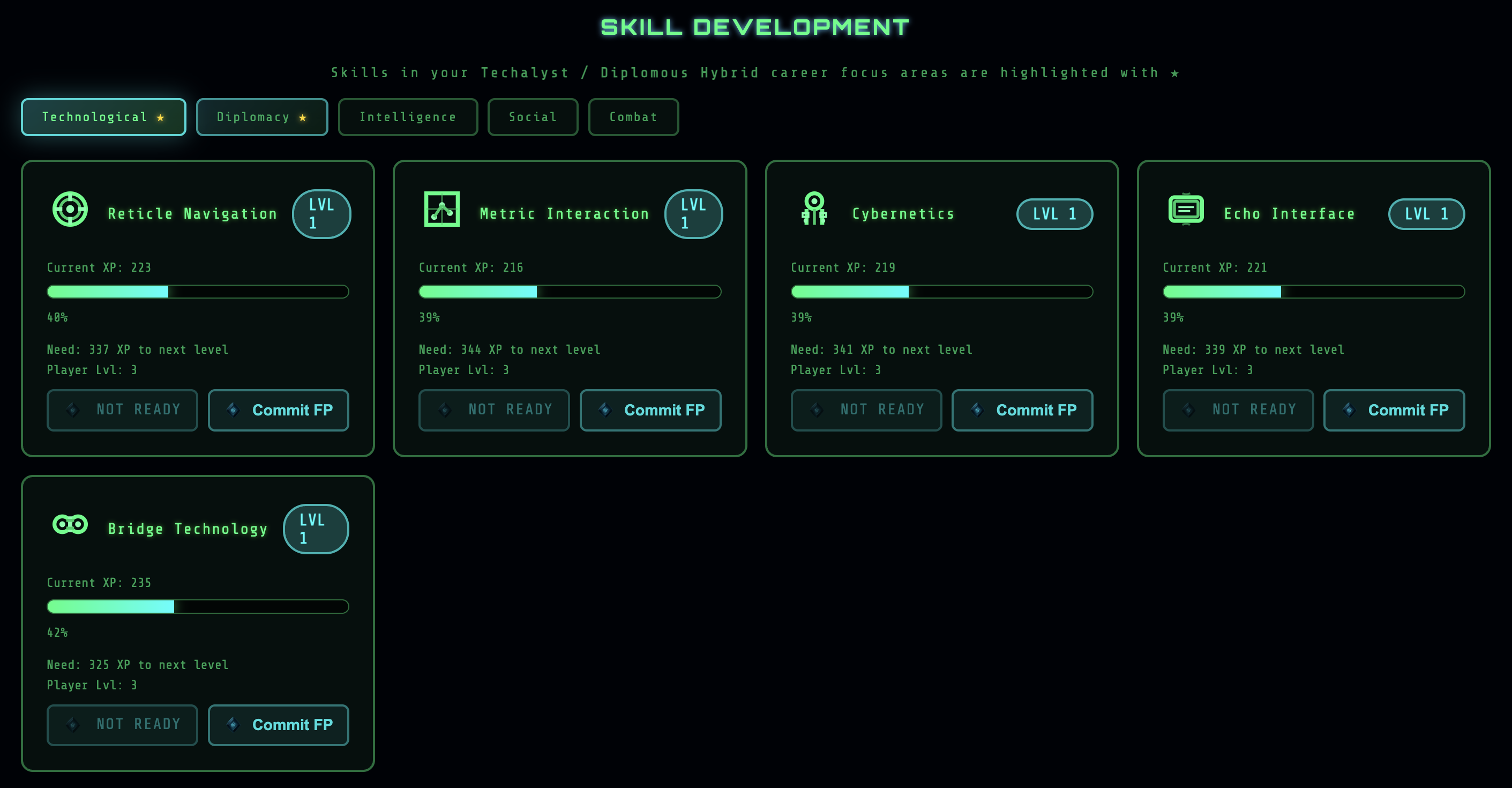
The OEC is where you invest Forge Points to advance skills.
The Skill Interface
View progress on key career and non-career aligned skills.
Advancement Process
- Select a skill to view details
- Review cost — FP required for next level
- Check requirements — Some levels need prerequisites
- Vault Forge Points — Save toward future skill upgrades by vaulting Forge Points
- Skill increases — New capabilities unlocked
Cost Scaling
Skill advancement costs increase at higher levels:
| Level Range | FP Cost Multiplier |
|---|---|
| 1-5 | 1x (base cost) |
| 6-10 | 2x |
| 11-15 | 3x |
| 16-20 | 5x |
| 21+ | 8x |
Forge Engine Management
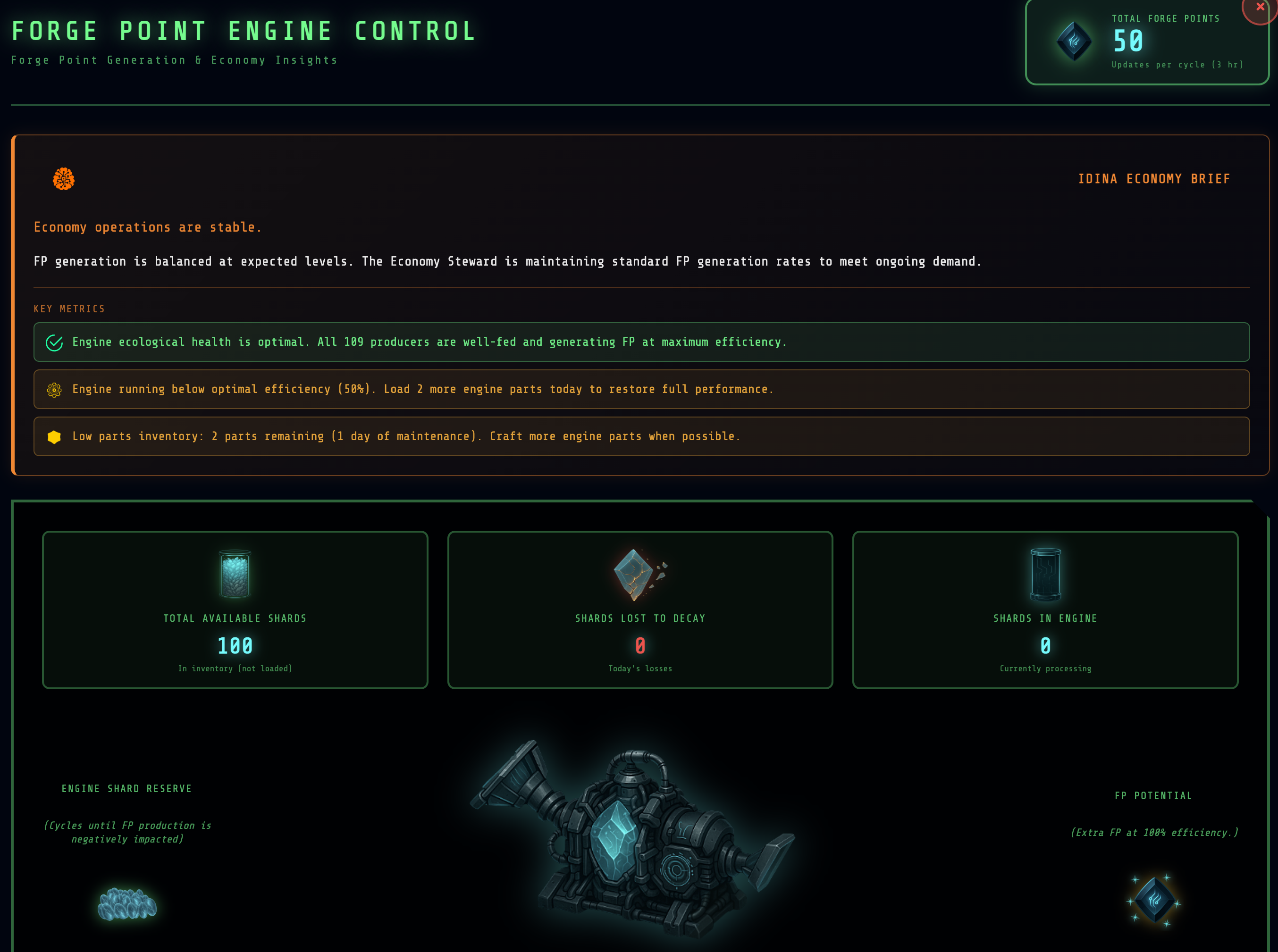
Your Forge Engine converts Data Shards to Forge Points. The OEC interface lets you:
Monitor Status
- Current Data Shard balance
- Conversion rate
- Forge Point accumulation
- Engine efficiency metrics
Load Data Shards
- Transfer earned shards to engine
- Prevent decay through timely loading
- Optimize loading schedule
View Analytics
- Historical conversion data
- Efficiency trends
- Optimization recommendations
Learn more about the Economy →
Marketplace Access
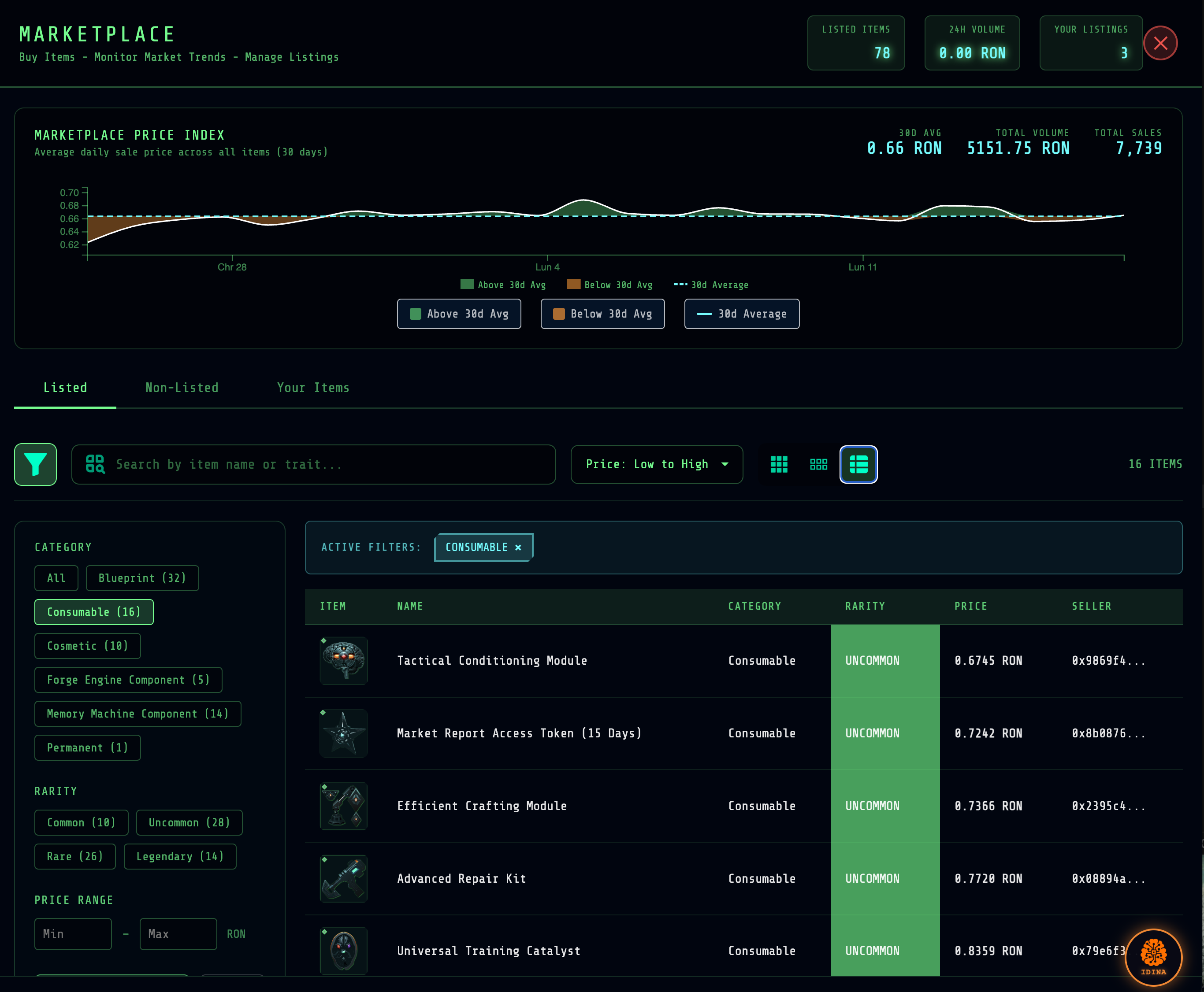
The OEC connects you to the NFT marketplace where you can trade items, cosmetics, and blueprints with other operatives.
How Trading Works
| Action | Process |
|---|---|
| Selling | Craft item → Mint as NFT (removes from inventory) → List on marketplace |
| Buying | Purchase NFT → Import to game (NFT burned) → Item appears in inventory |
Your Dashboard
From the OEC marketplace interface, you can:
- View active listings — Items you have listed for sale
- Browse marketplace — Search and filter available items
- Check inventory — Items available to mint and list
- Access market intelligence — Data not available on Ronin Marketplace
Market Intelligence Advantage
The in-game interface provides exclusive data:
- Effort Index — Production cost and skill requirements for items
- Supply Forecast — Future supply based on player vault commitments
- Shadow Supply — Minted NFTs not currently listed
Learn more about the Marketplace →
Career Interface
Track and advance your career from the OEC:
Current Status
- Active career
- Current rank
- Progress to next rank
- Career-specific achievements
Memory Machine Interface
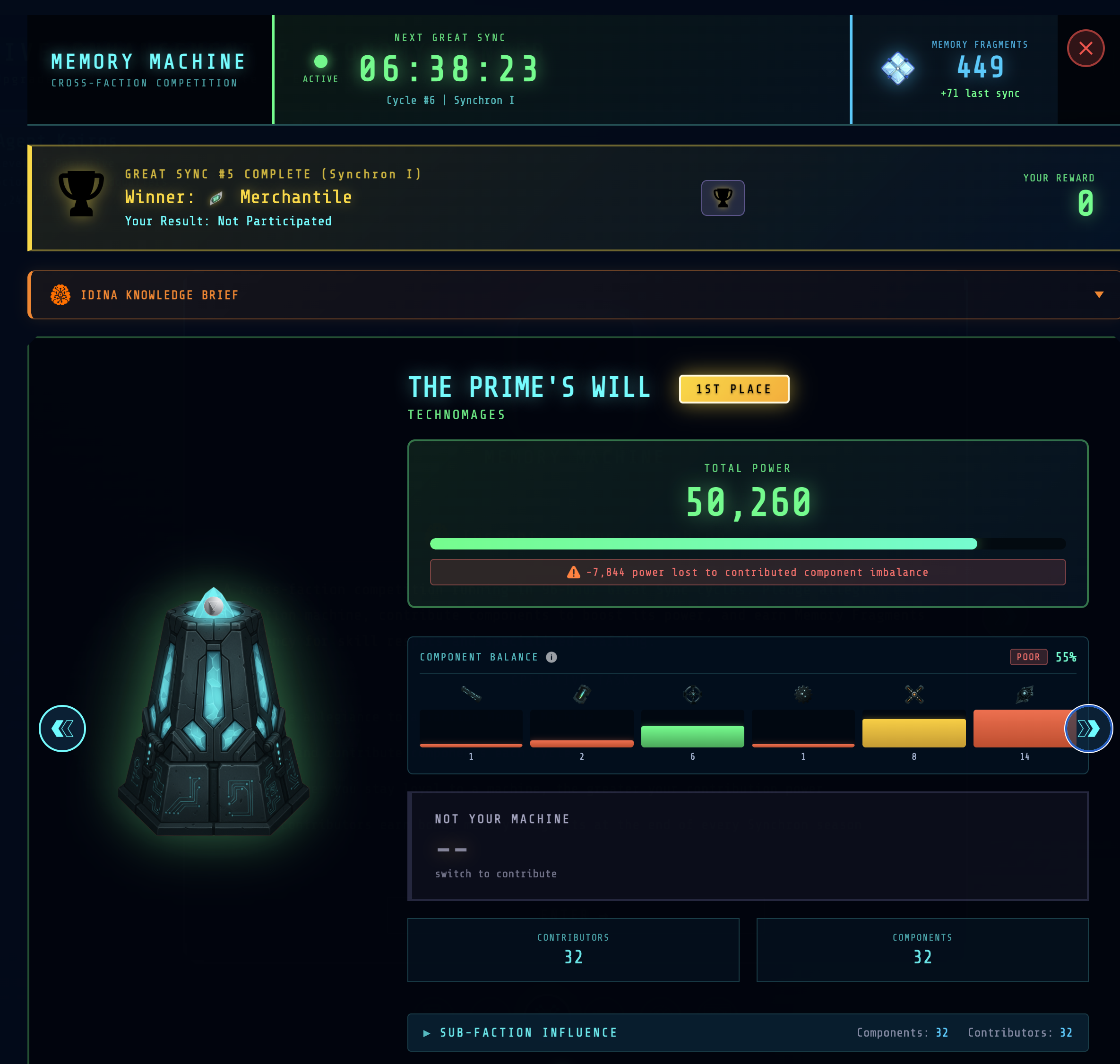
During Great Sync cycles, the OEC provides Memory Machine access:
Contribution Status
- Your faction's machine
- Current contribution total
- Ranking among contributors
- Cycle time remaining
Contribute
- Submit qualifying items
- Allocate resources
- Track contribution value
Learn more about Memory Machines →
OEC Tips
- Utilize tools — Reticle Cold War is a sprawling game, and the Task Manager will help you identify key tasks or areas that require attention
- Load shards regularly — If you're not loading data shards, you won't receive Forge Points
- Check Great Sync status — Know when cycles begin/end
- Use the goal setting tools — Use the crafting and item roadmap to identify near-term crafting and item use goals
Next Steps
- The Game Loop — How activities flow
- Skills & Skill Checks — Understanding advancement
- The Marketplace — Peer-to-peer item trading