The Marketplace
Where operatives trade equipment, cosmetics, and blueprints through NFT-based commerce.
Overview
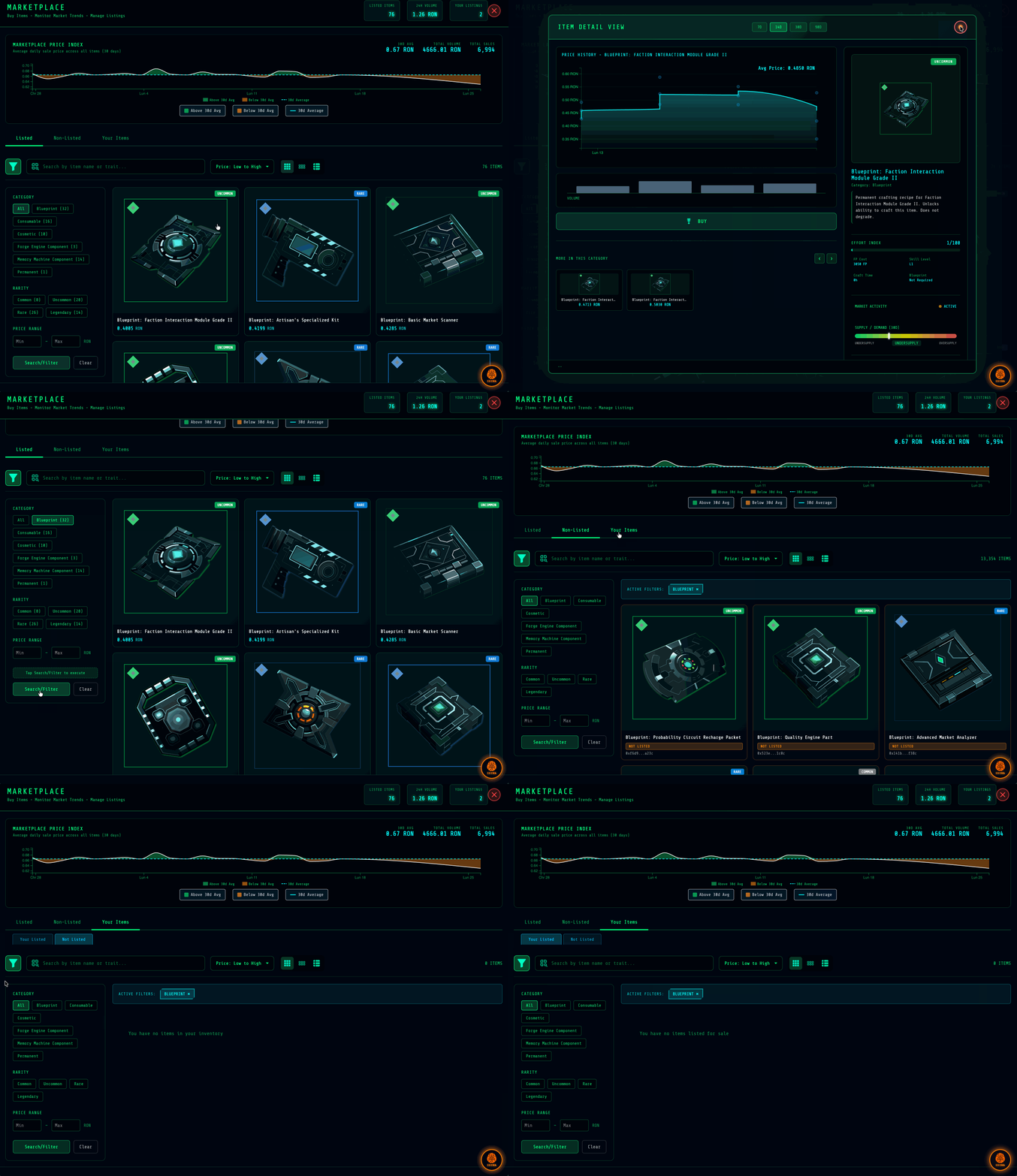
The Marketplace is a player-driven economy built on the Ronin blockchain. Players can mint items/blueprints they obtain in-game and list them for sale. Players can also buy items and blueprints from the marketplace, import them (NFT is burned in the process) and use it in-game.
Marketplace Lifecycle
| Stage | Activity |
|---|---|
| Item Forging | Use Forge Points to craft items using the in-game Item Forge |
| Blueprint Acqusition | Receive blueprints as rewards during from successful missions and other actviites |
| Item/Blueprint Listing | To list items and blueprints: Mint it (this removes the item from your inventory), and list it to the marketplace |
| Buying and Importing | Purchase items and blueprints from the marketplace, import them into your inventory (this burns the NFT) |
This creates true ownership—items and blueprints you create or acquire are yours to trade freely.
What You Can Trade
| Category | Examples |
|---|---|
| Equipment | Crafted items, Forge Engine parts, Memory Machine components |
| Cosmetics | Skill-boosting cosmetics |
| Blueprints | Crafting recipes for items of all rarities |
The NFT Lifecycle
Listing an Item (Selling)
┌─────────────────────────────────────────────────────────────┐
│                                                             │
│   1. CRAFT ITEM        2. MINT AS NFT      3. LIST ON      │
│   ─────────────        ──────────────      MARKETPLACE     │
│                                             ───────────     │
│   Create item in   →   Item removed    →   NFT appears     │
│   your inventory       from inventory      for sale        │
│                        Becomes NFT                         │
│                                                             │
└─────────────────────────────────────────────────────────────┘
- Craft the item in-game using Forge Points and materials
- Mint as NFT — The item leaves your game inventory and becomes a tradeable NFT
- List on marketplace — Set your price and duration
Important: While listed, the item exists only as an NFT. You cannot use it in-game unless you delist it.
Buying an Item (Purchasing)
┌─────────────────────────────────────────────────────────────┐
│                                                             │
│   1. BUY NFT           2. IMPORT TO GAME   3. ITEM READY   │
│   ──────────           ────────────────    ────────────    │
│                                                             │
│   Purchase on      →   NFT is burned   →   Item appears    │
│   Ronin marketplace    on import           in inventory    │
│                                                             │
└─────────────────────────────────────────────────────────────┘
- Buy the NFT — Purchase from Ronin NFT Marketplace
- Import to game — The NFT is permanently burned during import
- Item appears — Now usable in your game inventory
Important: Importing destroys the NFT. The item becomes a normal in-game item that can be minted again if you want to sell it later.
Market Intelligence
The in-game marketplace interface provides data not available on the standard Ronin NFT Marketplace—giving you a trading edge.
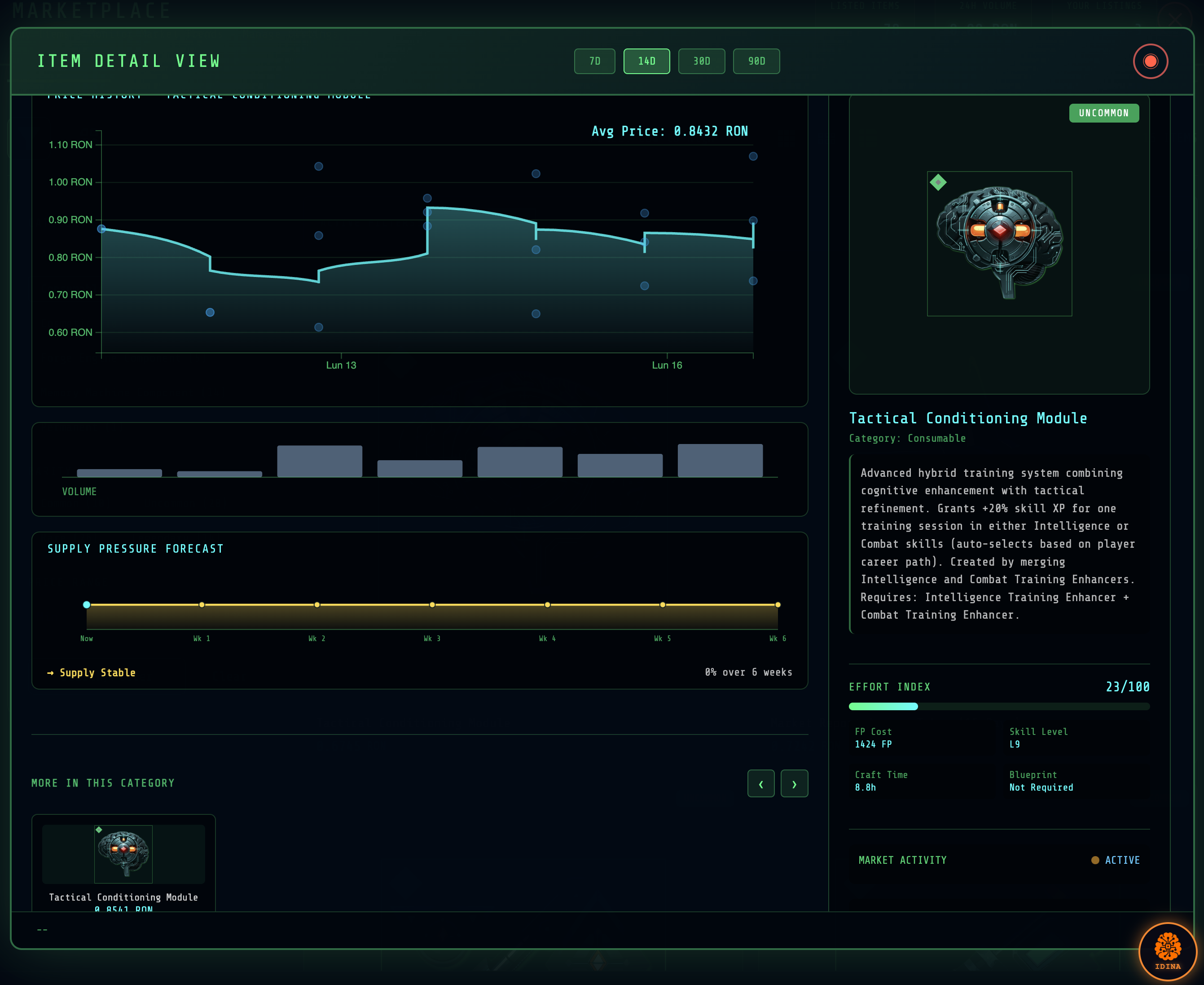
Production Effort Index
Each item displays an effort score showing how much work goes into crafting it:
| Data Point | What It Tells You |
|---|---|
| Forge Point Cost | Resource investment required |
| Skill Requirements | Expertise needed to craft |
| Crafting Difficulty | Success rate at different skill levels |
| Time Investment | Practical effort to produce |
Use this to assess whether a listing price reflects true production value.
Supply Pressure Forecast
This is a line chart forcasting future supply taking into consideration four factors:
| Metric | Description |
|---|---|
| Current Supply | Items currently listed on marketplace |
| Future Supply | Total vault slots targeting this item |
| Vault Progress | How close vaulters are to completion |
| Near Completion | Vaults at >90% progress (imminent supply) |
This shows you what's coming to market before it arrives—critical for and listing pricing decisions.
Shadow Supply: Non-Listed NFTs
Track non-listed NFTs—items that have been minted but aren't currently for sale:
- See how much potential supply exists
- Understand true market scarcity vs. temporary listing patterns
- Identify when holders are waiting for better prices
Price History
Standard market analytics:
- Historical sale prices (up to 90 days)
- Daily volume and sale counts
- Average, minimum, and maximum prices per period
- Trend identification
Marketplace Filters
Browse efficiently with structured filtering:
| Filter | Options |
|---|---|
| Category | Equipment, cosmetics, blueprints, components |
| Rarity | Common, uncommon, rare, legendary |
| Price Range | Minimum and maximum price bounds |
| Sort Order | Price (low/high), recently listed |
Your Marketplace Dashboard
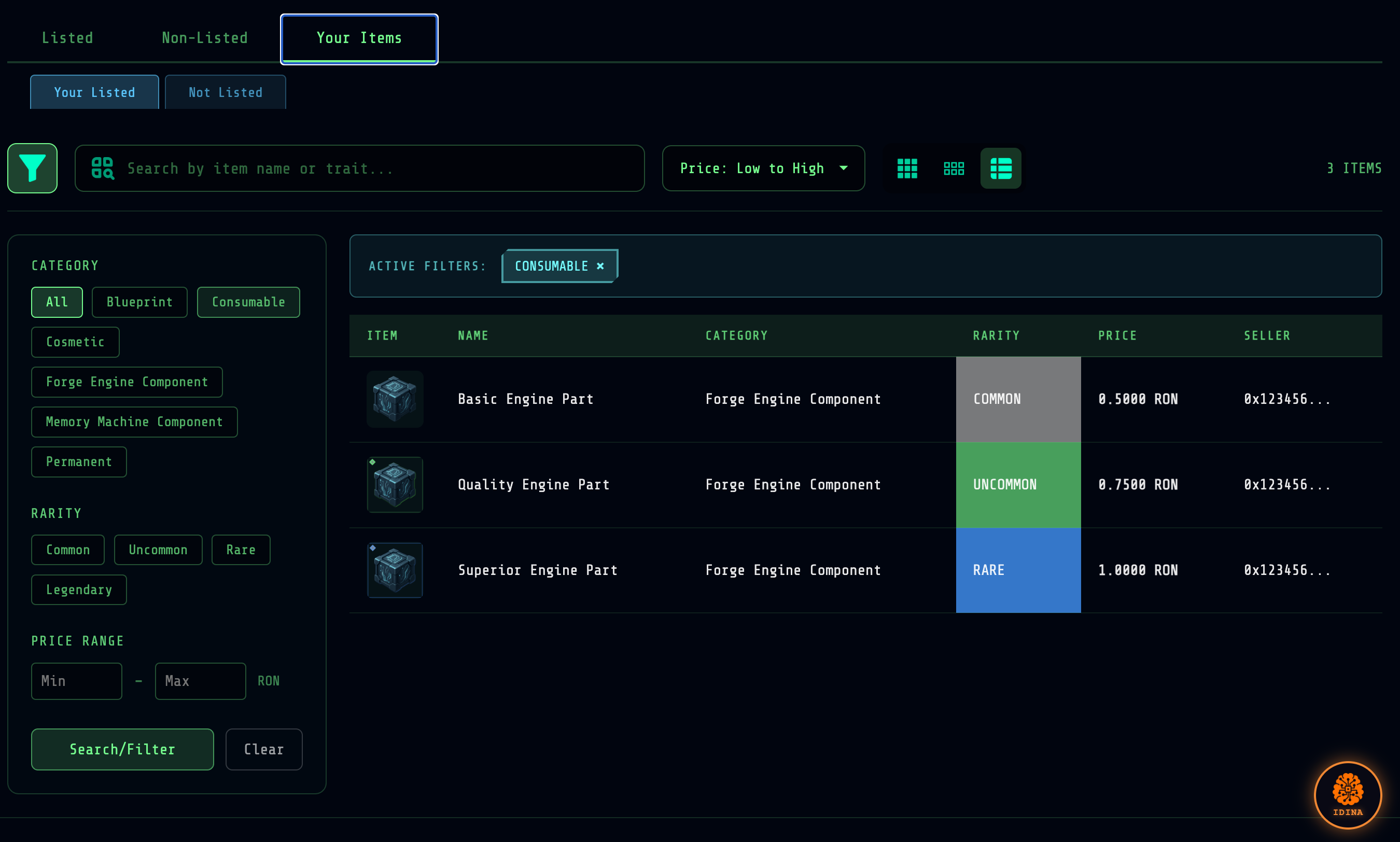
Active Listings
View all items you currently have listed:
- Listing price and duration
- Time remaining
- Quick delist option
Inventory (Available to List)
Items that have been minted, but not listed:
- Filter by category and rarity
- See estimated market value
- One-click mint and list workflow
Trading Strategies
Understanding Supply Pressure
The supply forecast is helpful information:
- High demand (low future supply) → Listing won't contribute to over-supplied situations
- Balanced → Stable market
- Low demand (high future supply) → Additional items are coming online
Pricing with Effort Index
- Compare your listing price to the effort index
- Ideally, higher-effort items should be priced higher
Watching Shadow Supply (Minted But Unlisted NFTs)
- Large shadow supply + low listings = depending on the item, holders may be speculating or holding inventory to list later
- When shadow supply starts listing, prices may drop
- Low shadow supply = what's listed is all there is
Transaction Flow
Fees
Marketplace transactions involve standard Ronin network fees. The in-game marketplace interface connects to Ronin's infrastructure for secure trading.
Security
- Items remain in your control until purchase completes
- NFT burning on import ensures no duplication
- Blockchain verification for all transactions
Related Systems
- The Homeostatic Economy — How Forge Points and resources flow
- Crafting & Blueprints — Creating tradeable items
- Memory Fragments — Special currency uses